Staff guide
Today
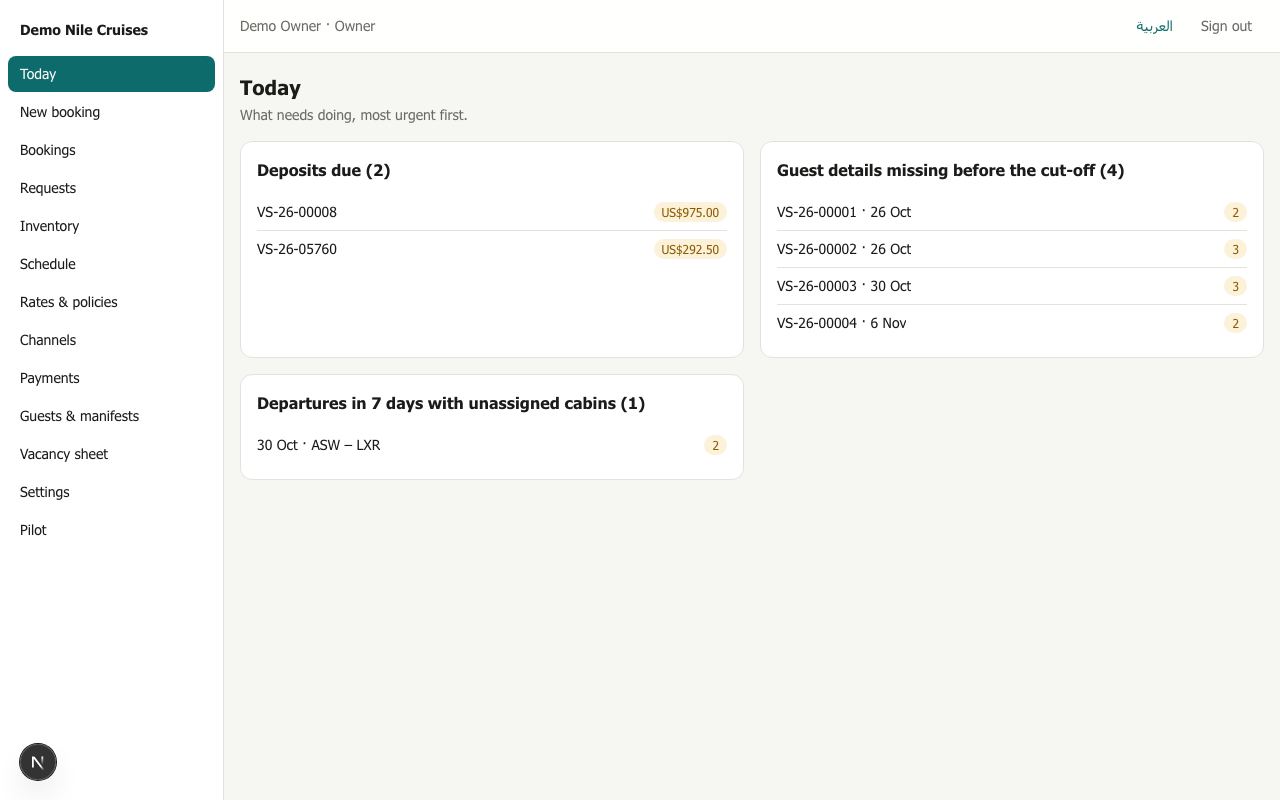
Today is the first screen you see after signing in. It shows only what needs a person, grouped and counted. When everything is done it says All clear.
What appears here
| Group | What it means | What to do |
|---|---|---|
| Exceptions | Something the system could not settle alone: a departure changed with bookings on it, a guest's age that does not match the price paid, a cabin taken out of service while booked | Open it, decide, and resolve it |
| Paid but the cabin is unavailable | A guest paid after their hold ran out, and the cabins had been sold meanwhile | Offer another cabin or date, or refund. Riverdesk never confirms a booking without cabins |
| Requests waiting for an answer | Agency requests, with hours left before the deadline | Answer them on Requests |
| Options and payment holds expiring | Cabins held today that will be released if not confirmed or paid | Chase the agency or guest |
| Deposits due | Direct bookings waiting for their deposit | Record the payment when it arrives |
| Balances overdue or due within 3 days | Remaining balances by their due date | Remind, then record the payment |
| Guest details missing before the cut-off | Bookings within the cut-off with names or passports missing | Complete the guests on the booking |
| Departures in 7 days with unassigned cabins | Booked cabins that still have no cabin number | Open it on Guests & manifests and assign |
Each line opens the booking or screen it concerns.
Tips
- Clear Today twice a day: morning and early afternoon. Requests have deadlines.
- An item disappears by itself once it is handled, for example when the payment is recorded.