Staff guide
Schedule
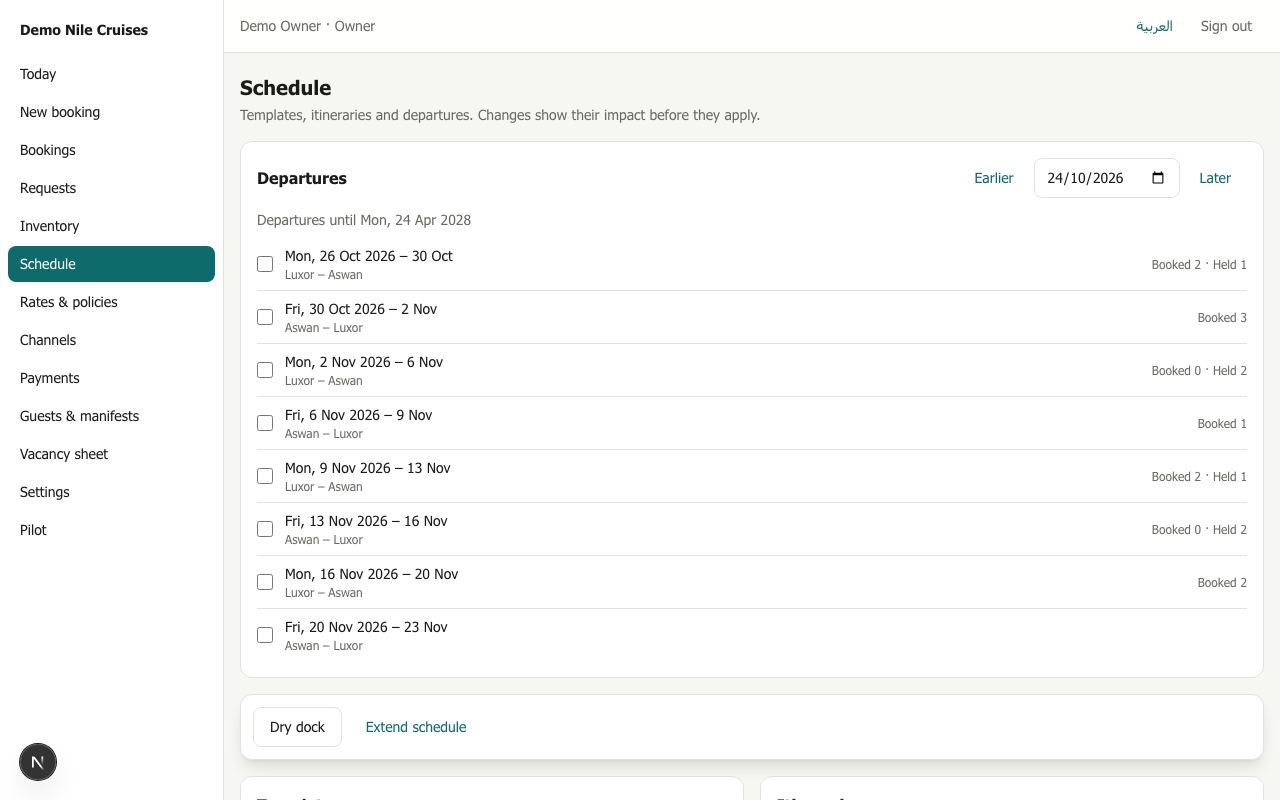
Schedule lists every departure in a date window, with how many cabins are booked and held. It also shows your weekly route (with its stops and days) and the itineraries sold on it.
Changing departures (owners)
Tick departures, then choose:
- Cancel departures: the vessel will not sail.
- Move dates: shift by a number of days earlier or later.
- Change port: for example when low water or the Esna lock means the vessel starts or ends elsewhere (one departure at a time).
- Dry dock: no button ticked needed. Choose a date range when the vessel is out of service.
Every change works in two steps:
- Show impact: Riverdesk works out exactly what would change, without changing anything. It shows how many departures and sailings are affected, which sailings would close, and the bookings, holds and allotments on them, with links.
- Apply change: done. Affected bookings appear on Today, channels are told, and every touched sailing is updated.
Bookings are never moved or cancelled silently: the office decides for each one.
Extend schedule
Riverdesk keeps departures 18 months ahead. Extend schedule creates any missing ones up to that horizon. It never changes or deletes existing departures.
Changes made
The list at the bottom shows every past change with its dates and reason.